Comp-Fu Answers Part 3
More recurring search terms that have led people to my blog!
optical flares for fusion
No.
what the user wanted
what the client wanted
what the customer wanted
I think you’re all after the same thing 🙂
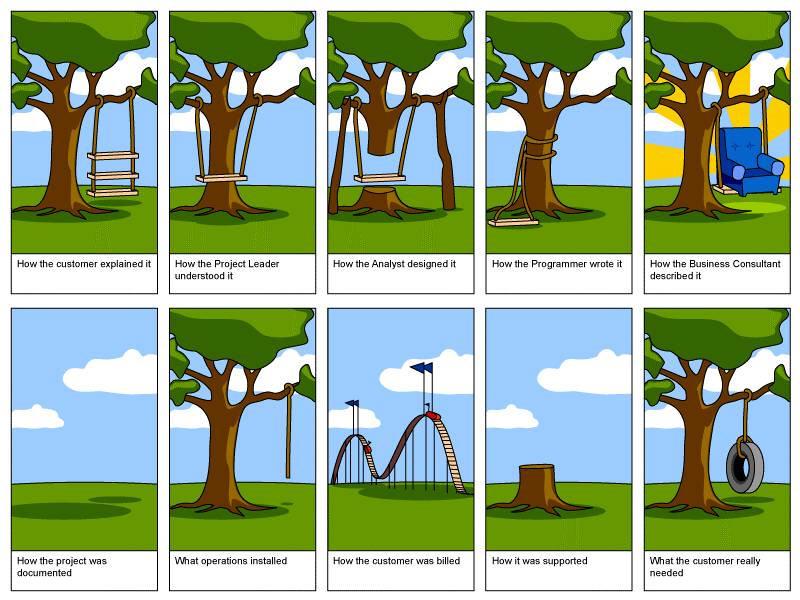
source: unknown
vfx naming convention
Now, this is actually quite an interesting topic. I’ve worked at a dozen small to medium companies as a freelancer and one thing’s for sure: everybody does it differently. Some places even opt for a content/asset management system that allows artists to name things the way they want. Only when checking something into the database, files will get tagged and renamed.
For the rest of us, it’s probably enough to have a naming convention that works on the file system as it is. This is usually done by combining so-called “tokens” via underscores (“XMEN_04-100_comp_v012.0001.exr”). Depending on the departments you have and whether your project’s shot are split up into sequences, things differ wildly. However, here are some best practices. Interestingly, all of them are just workarounds for the fact that file systems and the file managers that come with each OS are really, really bad for VFX work. So the database-driven CMS isn’t such a bad idea after all 🙂
Rule no. 1:
Write scripts that take care of file names. Every time an artist has to enter a file name or – heaven forbid – create a directory manually, chances are he’ll fuck it up. Scripting is easy for compositing or 3D apps, but a nightmare for AfterEffects, Photoshop or e-Mail attachments.
Rule no. 2:
Don’t over-engineer things by stuffing everything into a file name. That’s what metadata is for. But do make sure you can figure out where a file came from just by looking at its name: call it the same as the scene/comp/script that created it and then some but think twice about adding a department code, artist name, image size token or color space info to every frickin’ file name.
Rule no. 3:
Adjust to your file manager’s capabilities. They suck on every OS but even with an asset management system in place you’ll want to browse directories sooner or later. This means files should be easy to find and sorted logically:
- General strings first, then get more specific as you add tokens to the file name. It’s better to do shot_task_version than artistname_shot_version.
- Dates should be written as YYYYMMDD so they sort correctly.
- Version and frame numbers should have a fixed amount of digits, padded with zeros (e.g. v003)
- One file sequence per directory, named the same as the directory it’s in. Exceptions for multi-pass renderings (put em all in one folder) or multiple output resolutions of the same shot (split into subfolders like “jpg1080p” or “hd_exr” so the files themselves don’t have to contain this token).
- A new version of a file (rendering/comp/animation) should only differ in one predictable place: its version number (which may occur multiple times if you consider the whole path name as well). That makes scripting easy and allows versioning up in Nuke. If you put a comment token or artist name somewhere in the path name (\SHOT100\Spaceship\renderings\v005-newShading\…), you’ll need to write smarter pipeline scripts for no good reason.
- What happens if somebody accidentally moves a whole directory somewhere else? If you have a directory named “Shots” in every project folder, you can even wipe out a whole project on MacOS (drag “Shots” from one project into another and blindly click OK). Windows and Linux are not prone to such a major disaster but if you merge two shot folders have fun untangling them. Better use a short, project-specific prefix for the 2nd or even 3rd level directories inside a project folder.
Pacific Rim Fan-Art
Artsy pop culture site “blurppy” has a great collection of Pacific Rim movie posters made by various designers. Check out their two-part series by clicking on either thumbnail!
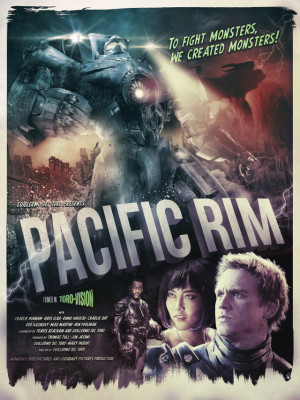

left one by Richard Davies, right one by Doaly
(found via Mech Love Not War)
Funny how many posters in the 2nd gallery take inspiration from Japanese iconography. The movie itself stars a Japanese actress but the plot takes place in Hong-Kong.
I wonder how that movie is received in China or if it is even shown there? From what I learned during my stay in Shanghai, only a couple of western blockbusters are admitted to Chinese theaters each year. Which is probably part of the reason why many big Hollywood productions are cozying up to that market (Emmerich’s 2012 making a statement about Tibet that made the audience cheer, Bruce Willis being married to Qing Xu in Looper).
Maybe there’s a special edit for that market with more shots of the Chinese mecha pilots? Because a Japanese girl defending Hong-Kong might feel to some people like Germans defending Moscow…
And here’s one more treat I found on blurppy: A fan-made trailer for Pacific Rim in the style of those good old Godzilla movies. I love it and vintage grading they put on top of that clip makes the CGI even more life-like in my opinion.
By the way, all of this creativity could be killed off by the ongoing trend of always tougher copyright enforcement and lawmaking. Update: a link on that would be nice, so here’s an article on techdirt that touches on that subject of fair use.
The Pixel Painter
Here’s a great short film about a 97 year old man who uses MS Paint to great effect. Touching!
Add Tool improvement for Fusion
Here’s an update for Fusion’s Add Tool script that makes it remember your favorite tools. This way you will never again get confused by similarly named tools that you never use. These favorites get written to disk into your profile directory so they persist whenever you restart Fusion.
The popup also lists macros and scripts and it makes 3rd party tools or Fuses easier to spot by printing their vendor ID as well (e.g. “Fuse” or “KD” for Krokodove plugins).
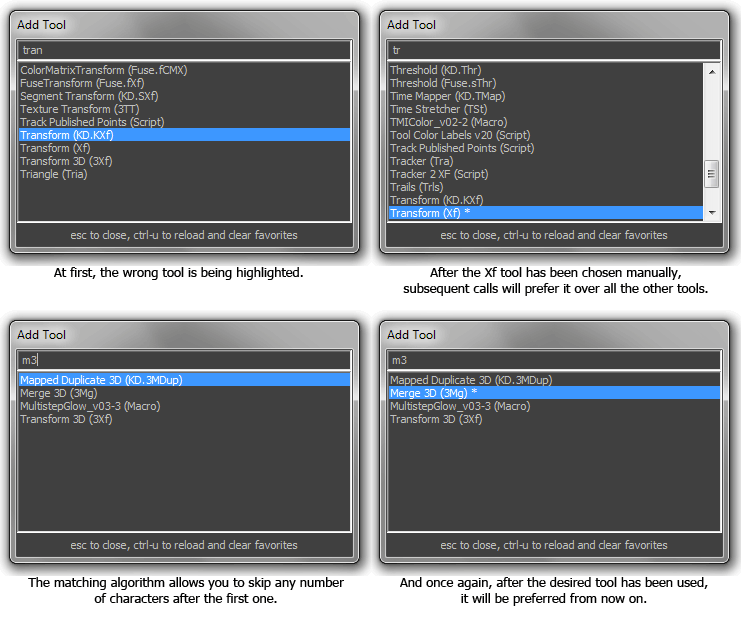
Tool favorites are preselected and marked with a number of stars based on their popularity. Press ctrl-U to reset the counters.
The changes I’ve made are based on the work of Andreas Opferkuch (who made an improved version of Add Tool called Add Anything) and the new substring matching that lets you skip letters is based on the Nuke script “tabtabtab” by Ben Dickson.
Download the script here and place it into your comp scripts folder:
Add Tool X.eyeonscript
Installation.
To launch this script instead of Add Tool you need to modify your Fusion.hotkeys file. The default Add Tool script is bound to Ctrl-Space. If you use Nuke as well you might prefer the Tab key instead. Put this block into Fusion.hotkeys (use the Flow section instead of Frame because the Tab key is already used in the viewers or the control panel…)
Flow = {
   TAB = "@Scripts:Comp/Add Tool X.eyeonscript",
}
How to use it:
After launching the popup using your preferred hotkey, start typing. As with the original Add Tool script, the list of tools will be restricted to those that contain the string you’ve entered. However, some tools have very similar names and the wrong tool might be selected until you type the complete name of a tool. For example, ‘tra’ will match the Tracker before the Transform tool. This isn’t exactly speeding up your workflow!
Add Tool X will keep track of all the tools you spawn so once you have manually chosen Transform over Tracker, it will prefer Transform from now on. Unless you have spawned other tools starting with T, Add Tool X will even offer you Transform as soon as you enter the letter T! Your favorite tools are also sorted to the top of the list which means that the second most popular tool is always just a cursor key away.
Non-Consecutive matching.
Inspired by “tabtabtab“, Add Tool X sports a smart letter matching system that allows you to skip letters as long as the first character matches your desired tool’s name. For example, m3 will match “Merge 3D” or trk matches the “Tracker”. You’ll quickly figure out your own unique shortcuts to your favorite tools that don’t clash with other tool names. Note that you can still rely on the standard substring matching which doesn’t allow you to skip letters but on the other hand doesn’t require you to start with the first letter. This is why, in the screenshot above, m3 also matches “Transform 3D” (spaces are always ignored). You can start typing a tool name with a capital letter to turn off the non-consecutive matching altogether.
Advanced options.
The script also has a bunch of flags that you can adjust using a text editor:
-- show the helpful label at the bottom of the popup?
SHOW_LABEL = true
-- pop up where the mouse is
CURSOR_POPUP = true
-- disable to hide macros
SHOW_MACROS = true
-- disable to hide scripts
SHOW_SCRIPTS = true
-- put favorites to the top of the list
SORT_BY_POPULARITY = true
-- cache macros and scripts (off by default)
CACHE_MACROS_AND_SCRIPTS = false
Pacific Rim Rocks
I really enjoyed Pacific Rim. Here’s what they did right compared to other action movies of that genre:
The story may be simple but it’s refreshing to have a movie that is not a “dark and gritty” remake of something. It’s a can-do action movie with an atmosphere of movies like Top Gun or Independence Day.
At the same time, it’s not a celebration of the US military arsenal saving the world (I’m looking at you, Transformers and Battleship). While the main hero and his mecha are definitely western/US and other nationalities are caricatures like in a video game straight out of the 1990s, the action takes place in Hong Kong and the destruction of the Golden Gate bridge is shown as a 5 second byline in the prologue.
Pacific Rim doesn’t waste time on stupid subplots about family drama and teenagers breaking free from their parents to save the world. Nobody felt the need to mention Youtube or Facebook. There’s no romantic subplot although there is a nice kind of chemistry between the main male and female characters.
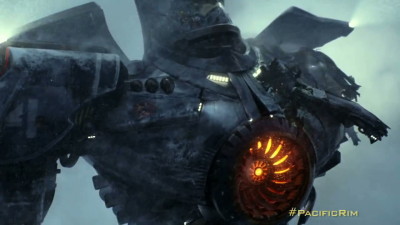 The VFX are awesome. If giant robots were fighting giant monsters that’s what it would look like. The animation and camera work of the cgi scenes plays an important role here. While the physics of those robots is of course ludicrous, the machines are believable because their moves convey mass and momentum. In Transformers we are forced to believe that giant heaps of metal are somehow able to fold up into regular cars while jumping around like trapeze artists. In Pacific Rim there are actual gears and pistons. The robots can’t fly. They can jump, but you feel the effort it takes to move hundreds of tons of steel.
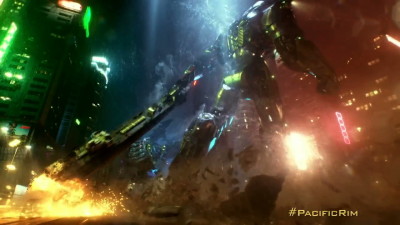 Pacific Rim also doesn’t succumb to the temptation of shoving a cgi camera anywhere simply because you can render anything you like. Almost all of the shots look like they could have been done by an actual camera man on the ground or in a helicopter. This restraint and the non-use of a constantly shaking hand camera is effective and refreshing.
Only in one particular underwater battle the illusion breaks down. The robots don’t move any slower than above ground, nothing seems to have buoyancy and the scene feels like it takes place in a container of slightly darker air.
It’s completely unnecessary to see this movie in 3D. I hated every stereo movie after Avatar and Pacific Rim thankfully didn’t build its plot around gimmicky shots of stuff flying into your face. I’m sure they took great care to keep the interocular distance in range to prevent the robots from looking like miniature toys. All of which are things that I approve of. But at the same time that diminishes the pros of 3D while keeping the cons: fast moving sparks and water spray close to the camera still turn into a flickering mess.
Conclusion: Pacific Rim is a highly enjoyable action movie about giant robots punching giant aliens that isn’t trying to be something it isn’t.
9/10 (way way better than its genre companions Transformers, Cloverfield, Godzilla…)
Orange-Teal The Movie
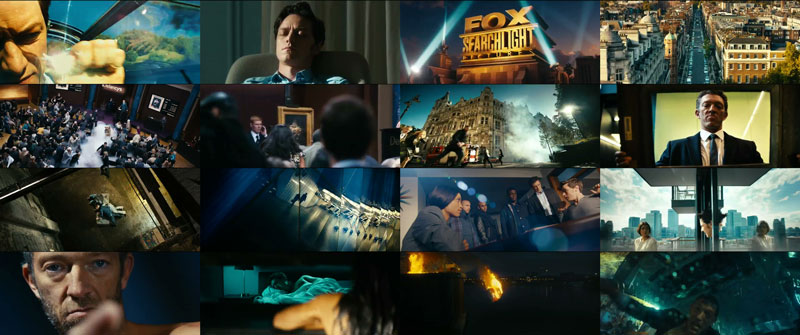
coming soon: Orange Teal – The Movie
Just kidding, it’s a trailer for “Trance”. A movie about stealing a painting. Probably that painting:

Mara Drehbeginn
Diese Tage hat der Dreh für Mara und der Feuerbringer begonnen, ein deutscher Fantasyfilm, der auf dem gleichnamigen Buch von Tommy Krappweis basiert.

Fotos von der Mara Facebook-Seite. Produktion: Rat Pack / Constantin Film
Die Abenteuer der titelgebenden Mara sind eng mit der nordischen und germanischen Sagenwelt verknüpft, wobei ein Augenmerk auch auf historischer Korrektheit liegt. Kitschig-gehörnte Wikinger wie bei Wiki und die Starken Männer wird es also nicht zu sehen geben – dafür allerlei germanisches Sagengetier. Starring unter anderem: Christoph Maria Herbst als Loki.
News vom Set gibt’s auf der Facebook-Seite der Münchner Firma BigHugFX.
Wieso ich das poste? Ich werde als Compositing Lead dabei sein und freue mich schon riesig. Denn an Bord ist als VFX Supervisor John Nugent, mit so kleinen Referenzen wie “Lord of the Rings”. Regisseur und Drehbuchautor Tommy Krappweiss hat übrigens auch eine gute Referenz auf dem Buckel: Bernd das Brot 🙂 Das Projekt verspricht also, unterhaltsam zu werden!
english summary: I’ll be working on a German fantasy feature film, vfx supervisor is John Nugent of “Lord of the Rings” fame.
